Write it now.
It finds you later.
Making sure what matters finds you at the right moment.
Some thoughts aren't for right now. Write when you want it back in plain English — “tomorrow morning”, “next Friday at 9” — and Send When delivers by push, email, or both. Want it now instead? Send it now.
7 days free, then a subscription.
Three steps, then forget about it.
-
Write it now.
Say when in plain words.
Type, speak, share from another app, or attach a photo or file. You can write the when in the same note — no separate ritual. Type how you’d say it out loud. No date picker required.
- tomorrow morning
- next Friday at 9
- in 3 weeks
-
Then forget about it.
Everything waiting, in one calm list.
Nothing to check in the meantime. Change a note, push it back or send it early whenever you like.
-
It finds you.
Right when it matters.
At the moment you chose, your note comes back — push, email, or both.
How it reaches you is your call.
Pick per note, not once in a settings screen. A quiet nudge for the small things, an inbox copy for the ones you'll want to find again.
Need it in your inbox right now? Send it now. Scheduling is what the app is for, not a restriction it puts on you.
Push, email, or both — when the moment matters.
Push
A tap on the shoulder, with the note right there in the notification.
Email
Waiting in your inbox, searchable, forwardable, yours to keep.
Both
For the ones that mustn't slip past you.
Built for full days.
-
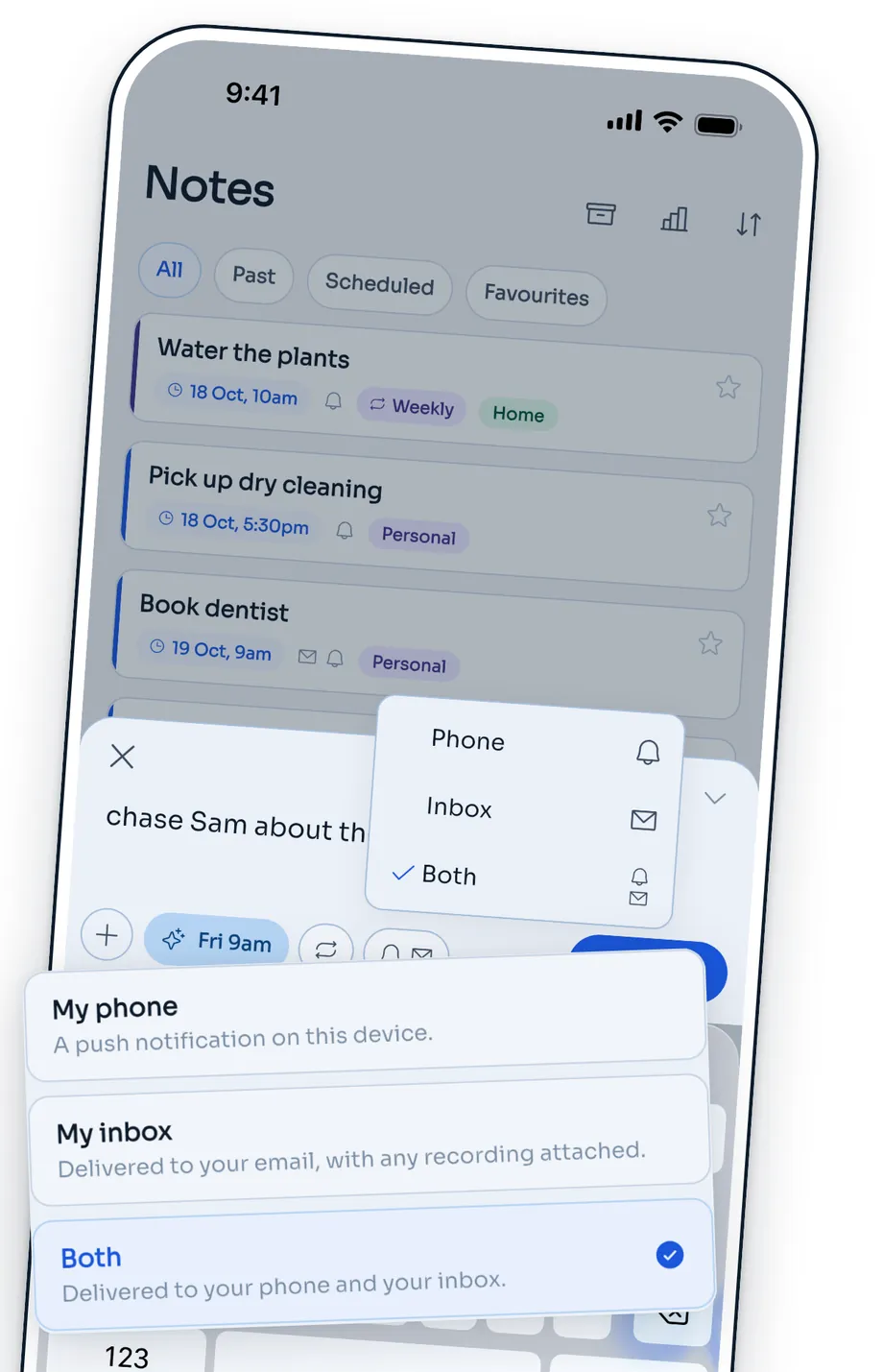
Push, email or both.
Choose how each note reaches you.
-
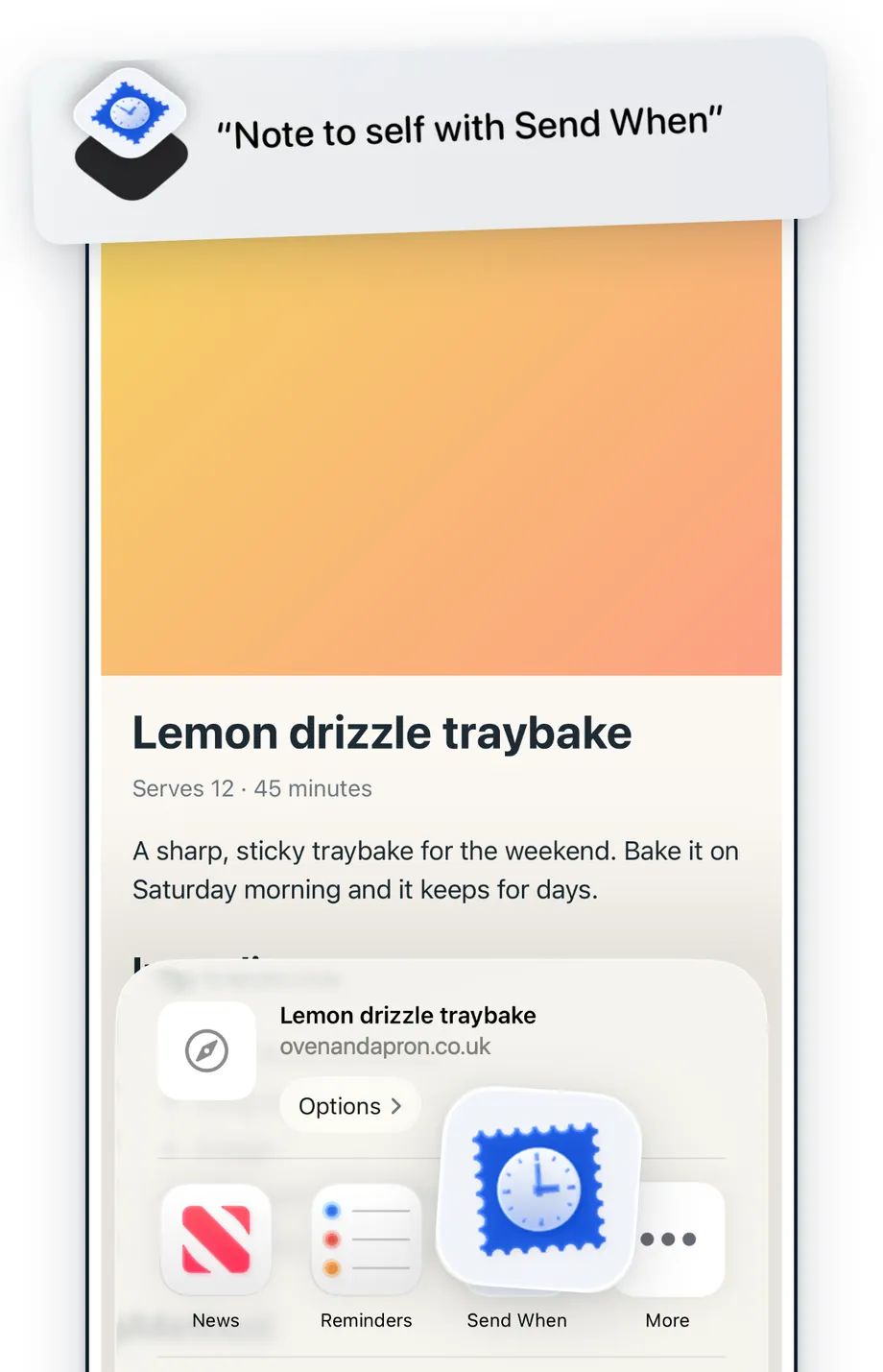
Capture from anywhere.
Share from any app, or just ask Siri.
-
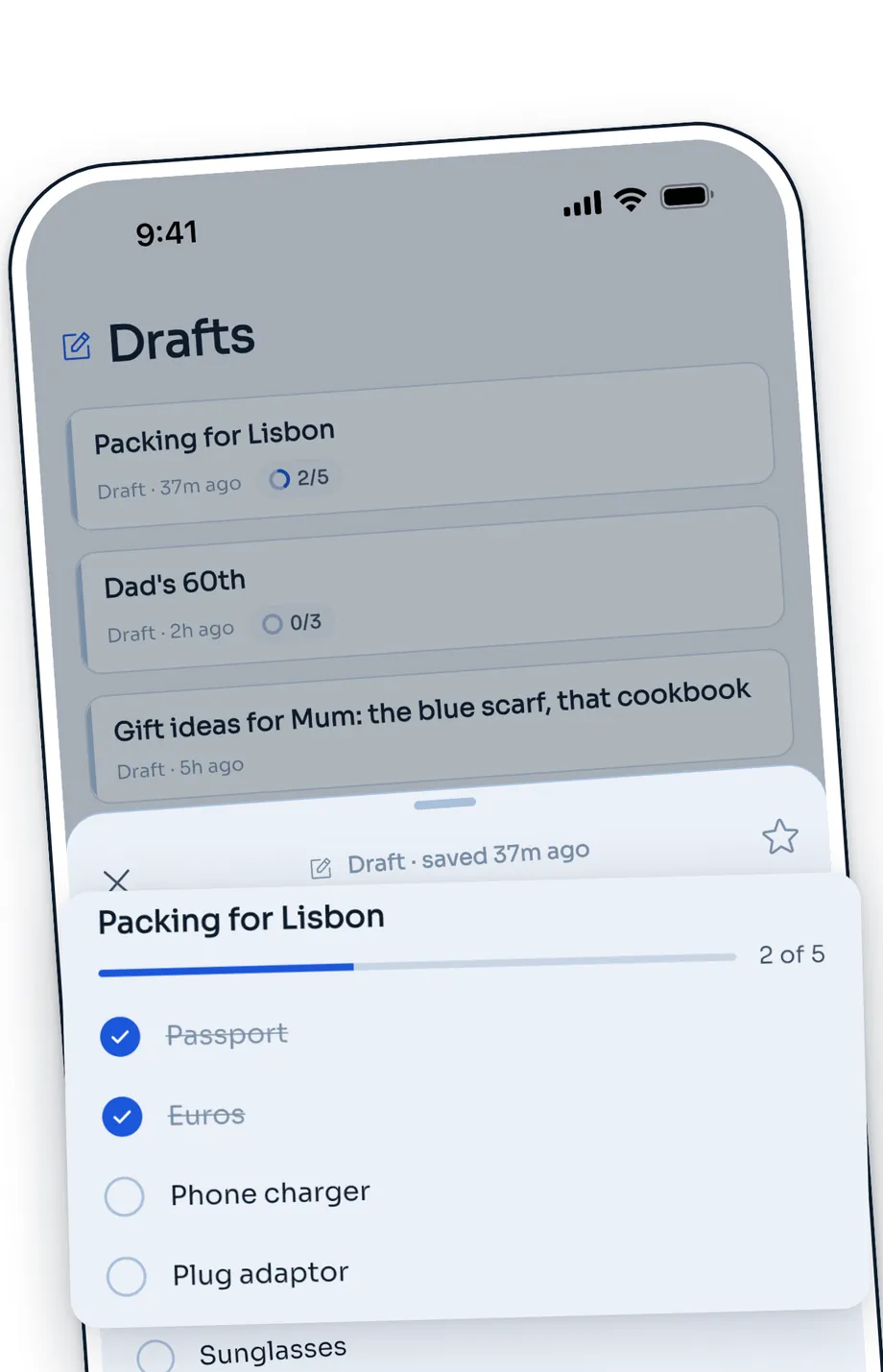
Not ready to send?
Keep checklists and drafts until you are.
-
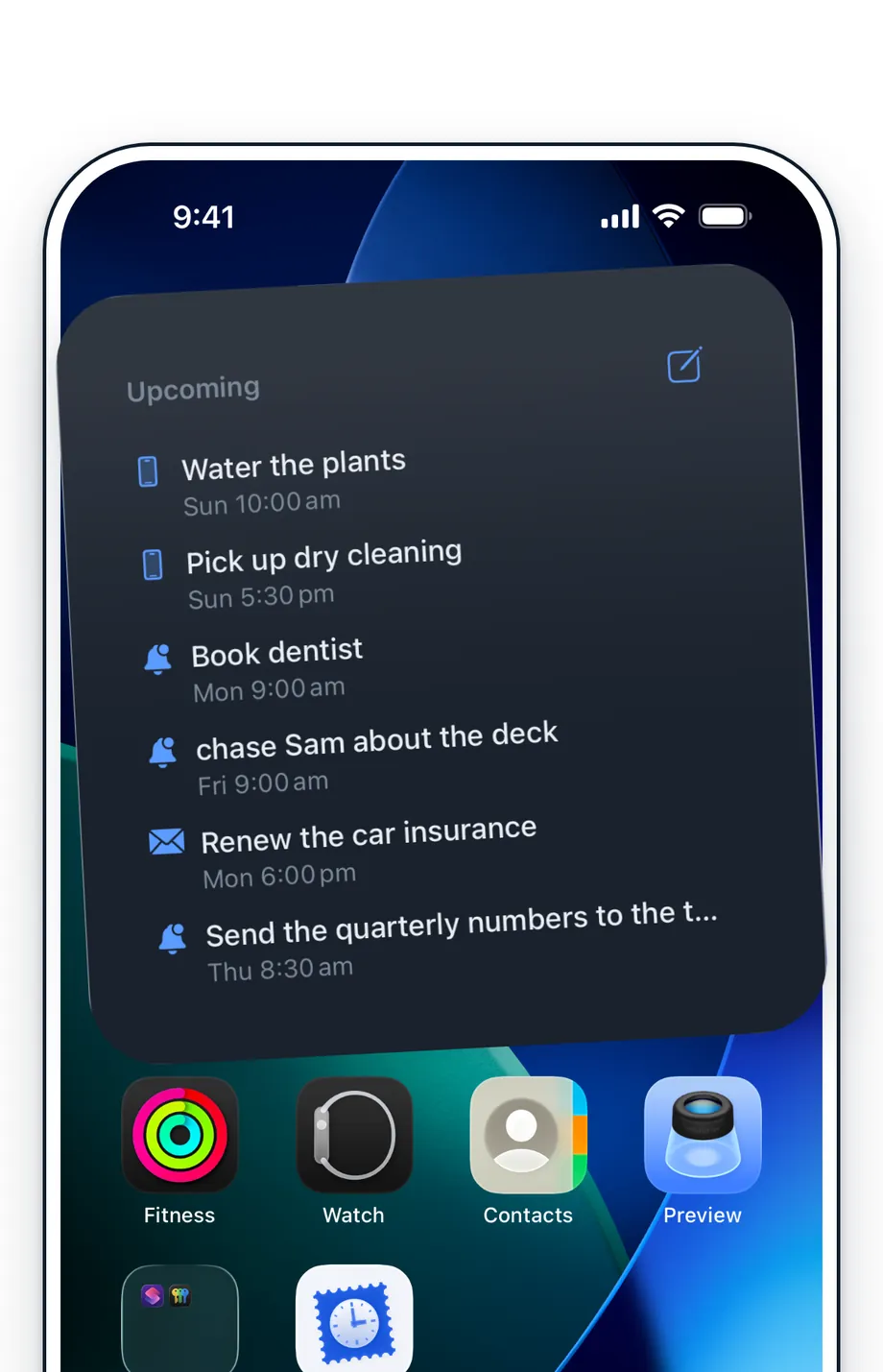
Always in view.
What’s next, on your Home Screen.
Not ready to send? Keep it in Drafts.
Drafts are unscheduled notes: write a thought down now, then schedule it or send it whenever you're ready. If you want privacy, you can lock Drafts with Face ID in Profile (off by default). Face ID stays on your device.
- Optional Face ID lock
- Send any time
- Stays yours
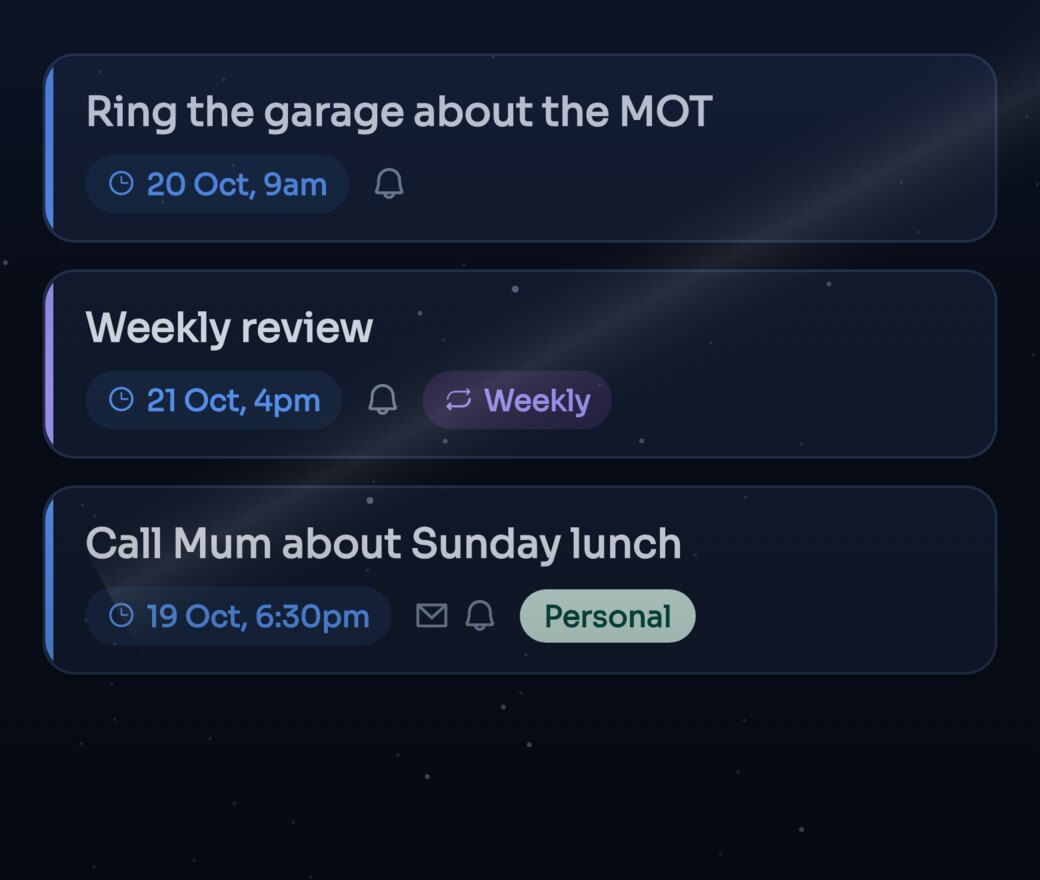
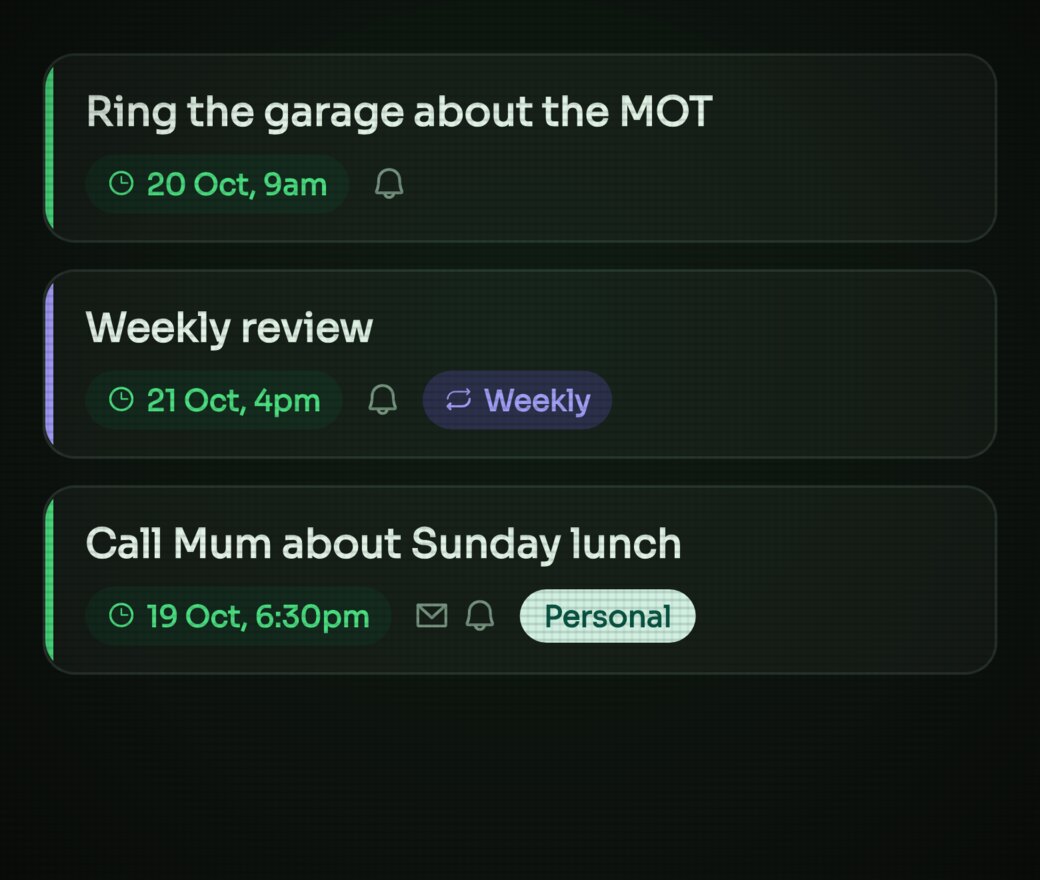
Six themes. One looks like an old screen.
Each one is a place or an object rather than a colour swap — cream notebook stock, drafting paper, a night sky, a phosphor terminal — with its own faint texture and a short flourish when you pick it. Turn on Match my device and it follows your iPhone’s light and dark setting. The app icon can match too.
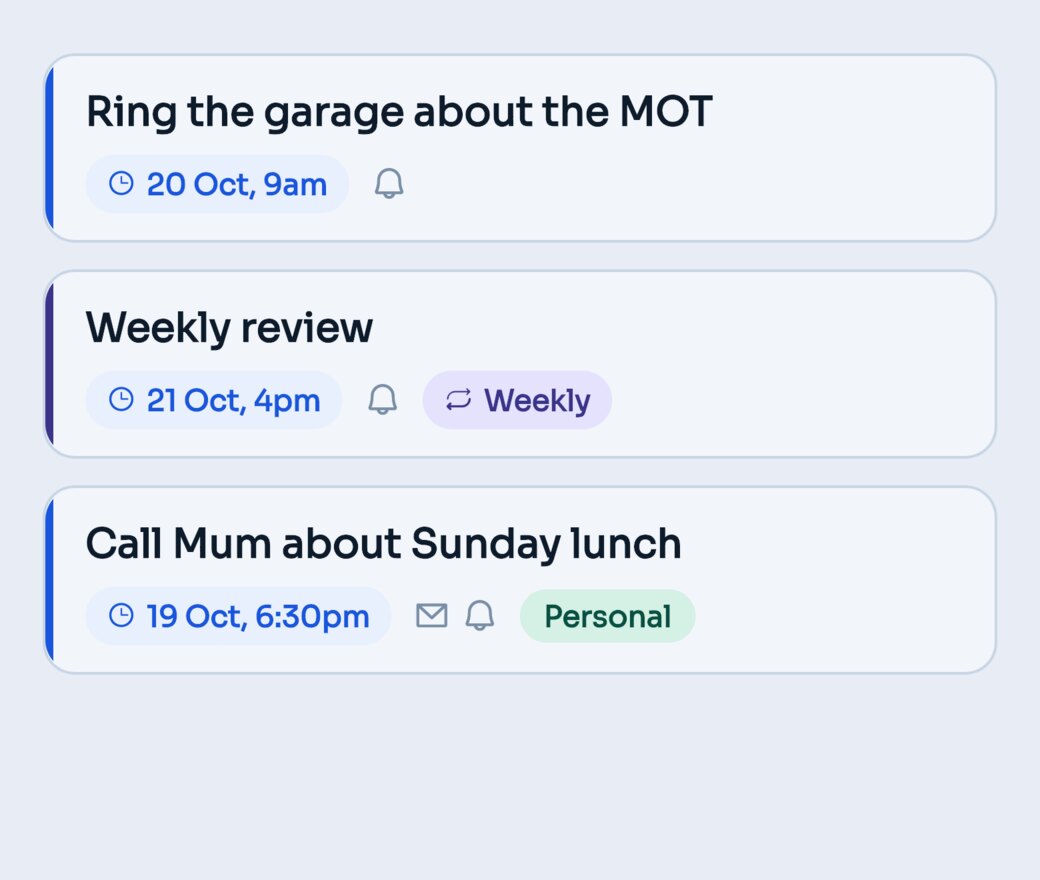
Original
Cool greys and a confident blue. Send When as designed.
- Background #E8EDF5
- Card #F2F5FA
- Accent #1A56DB
- Ink #0D1B2A
Texture: none — the palette carries itself.
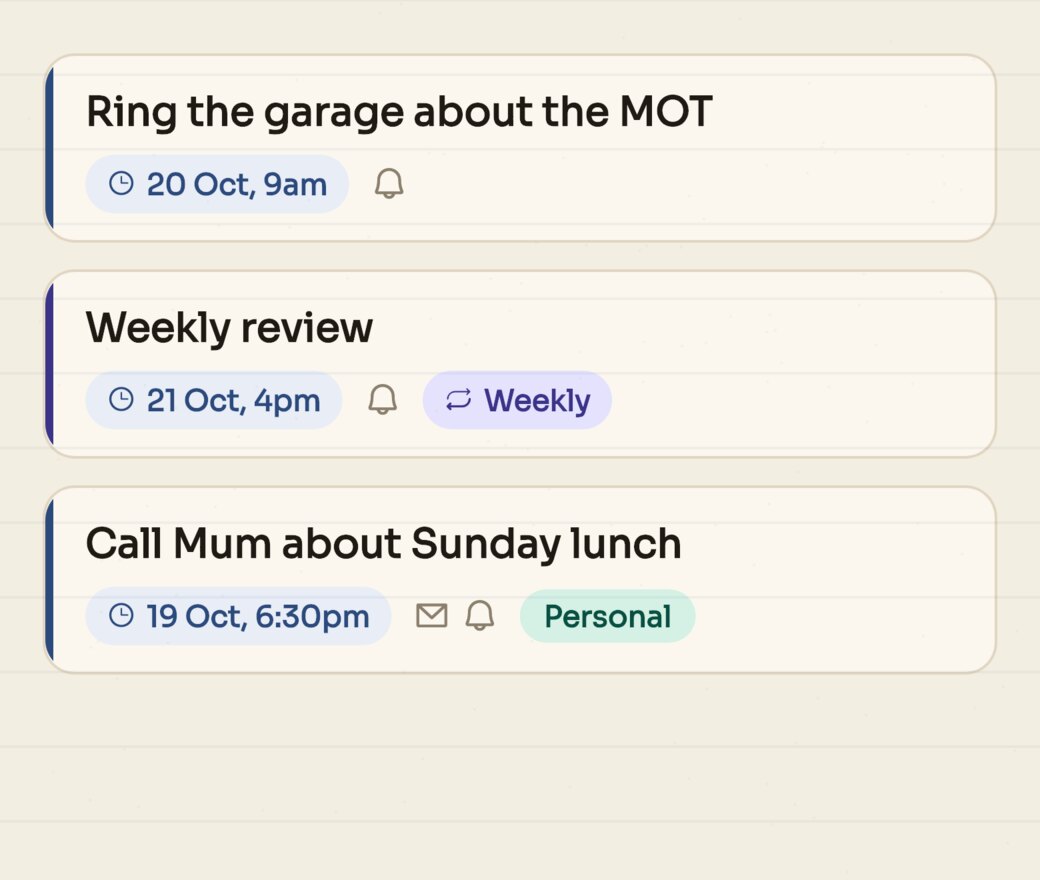
Paper
Cream stock, faint rules, a good pen. A notebook.
- Background #F3EEE2
- Card #FBF7EE
- Accent #2C4A7C
- Ink #1F1B14
Texture: faint ruled lines + paper grain.
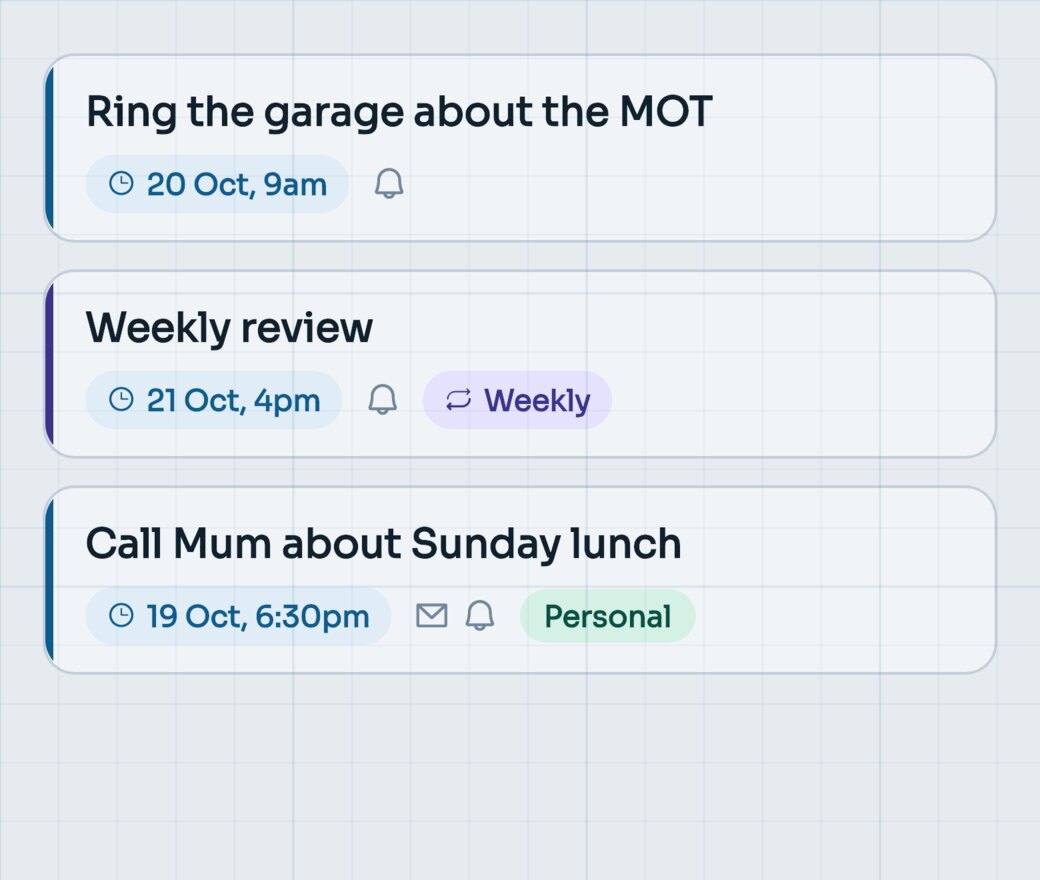
Blueprint
Drafting paper and a drawing-office blue. Plans, not notes.
- Background #E6EBF0
- Card #F1F4F7
- Accent #0F5C8C
- Ink #10202C
Texture: a pale technical grid.
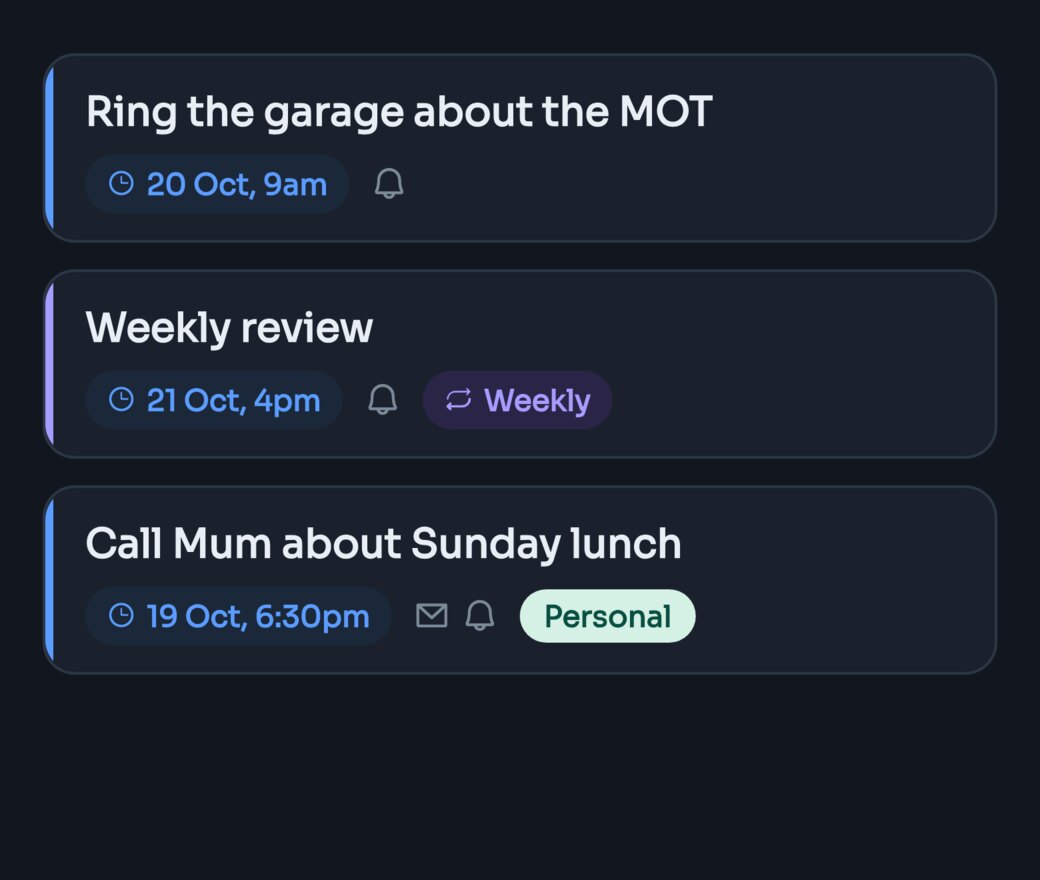
Dark
The original scheme with the lights off. Nothing else.
- Background #12171F
- Card #1A212C
- Accent #5B9CFF
- Ink #E9EEF5
Texture: none, deliberately.
Midnight
A sky, not a colour. For writing after everyone is in bed.
- Background #070B14
- Card #111A2B
- Accent #5B9CFF
- Ink #EAF0F8
Texture: night sky, stars, faint galactic band.
Terminal
Near-black and phosphor green. Nothing but the words.
- Background #0C0F0C
- Card #141814
- Accent #4ADE80
- Ink #E6F2E8
Texture: old-screen scanlines and soft green glow.
Everything around the one good idea.
Writing it
Natural language times
Type “tomorrow morning”, “next Friday at 9” or “every Monday” — the schedule fills in. No date picker required.
Repeating notes
A weekly nudge, a monthly check-in, a yearly hello. Daily, weekly, monthly or yearly, or type “every 2 weeks”.
Checklists
Paste a list or start from the Checklist template, then tick items off as you go.
Voice notes
For when a thought is faster spoken than typed.
Photos and files
Send yourself the whole picture, not a description of it. Photos, PDFs and text files up to 26 MB, or scan printed text with the camera.
Templates
For the notes you find yourself writing again and again. Six built in, from Checklist to Weekly review, plus your own, with blanks to fill in each time.
Getting it to you
Push, email or both
Set a default once, then change it for any note.
Other addresses
Add up to five email addresses, each confirmed with a code. Hold the send button to choose one.
Snooze and send again
Push a note back an hour, a day or a week, or send a delivered one again.
Works offline
No signal? The note is saved on your phone and sends when you are back online.
Emails your way
Choose what the subject line shows, and tell it your first name to be greeted by it.
Keeping track
Drafts
Notes without a time yet. Send or schedule one whenever you are ready, and lock Drafts with Face ID if you like.
Tags
Type #work as you write. Work, life and ideas stay in their own lanes.
Search, favourites and sorting
Find any note, star the ones that matter and sort the list your way.
History, insights and streaks
See what was sent, how each channel is doing, and how long your scheduling streak has run.
All over your iPhone
Home Screen widgets
What's coming, without opening anything. Upcoming, Today and Favourites on the Home Screen and Lock Screen, plus a Quick note widget that opens a blank note.
Control Center and the Action Button
A New note control for Control Center, the Lock Screen or the Action Button (iOS 18).
Siri & Shortcuts
Say “Note to self with Send When”, then the note. Add a time and it is scheduled; leave it out and it is sent straight away. Note to self is in the Shortcuts app too.
Share Sheet
Share text, a link, a photo, a PDF or a voice recording from Safari, Photos and other apps straight into a new note.
Your notes are not the product.
No adverts, no third-party analytics, no selling or sharing your information for advertising. Notes are stored in London and travel over an encrypted connection. Read the privacy policy.
A push never carries your note’s text.
Your iPhone fills the words in when the notification arrives.
No contacts, no location, no ad identifiers.
We don't ask for them. No passwords either: sign in with Apple or a code sent to your email.
Delete your account and it goes.
Notes, recordings and attachments are deleted when you confirm; anything scheduled is cancelled.
Questions, answered.
What is Send When?
An app for writing a note now and having it delivered back to you at a time you choose — by push notification, by email, or both. Text, voice, photos and files all work.
Can I schedule in plain language?
Yes. Type things like “tomorrow morning”, “next Friday at 9”, or “in 3 weeks” and Send When understands — no date picker required. Leave the time out and it picks 9am.
Can I share into Send When?
Yes. Use the iOS share sheet in Safari, Photos and other apps to send text, a link, a photo, a PDF or a voice recording straight into a new note. You can also say “Note to self with Send When” to Siri — how Siri works with Send When.
Can it send something right now?
Yes. Send it now and it goes now. The reason to use Send When is that it also holds one until Friday, or next year.
How does a note reach me?
You choose per note: a push notification, an email, or both. You can add up to five more email addresses in Profile › Send to. Each is confirmed with a code before anything is sent there.
What are Drafts for?
Notes you've written but haven't scheduled yet. Open one any time to schedule it or send it. You can lock Drafts with Face ID in Profile (off by default). Face ID, and text you scan with the camera, stay on your device.
How do I sign in?
With Apple, or with a 6-digit code sent to your email. There are no passwords.
What does it cost?
No free plan. The yearly (£14.99) and monthly (£2.99) plans start with a 7-day free trial, which covers up to 100 scheduled notes; drafts are unlimited. Or pay once, £39.99, and nothing renews.
Which devices does it work on?
iPhone, on iOS 15 or later. There is no iPad, Android or web version.
When can I get it?
Download Send When on the App Store. Questions: support@sendwhen.net.
Write it now. Let go.
It'll find you at the moment you meant it for.
7 days free, then a subscription. Start with a 7-day free trial on the yearly or monthly plan, or pay once. Cancel any time in Settings.